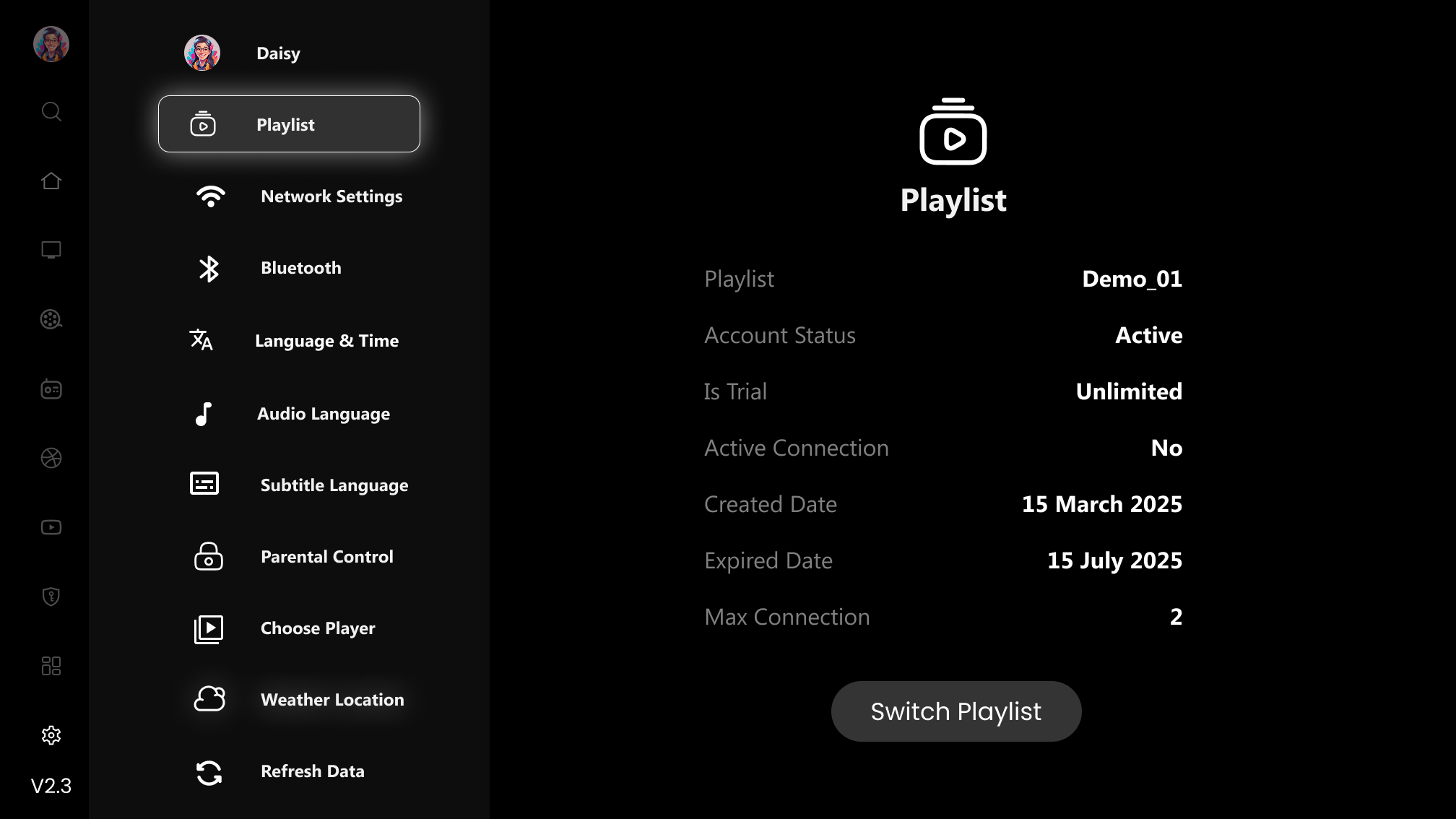
How to get details of your account and playlist info in NOX App
Know details of your account
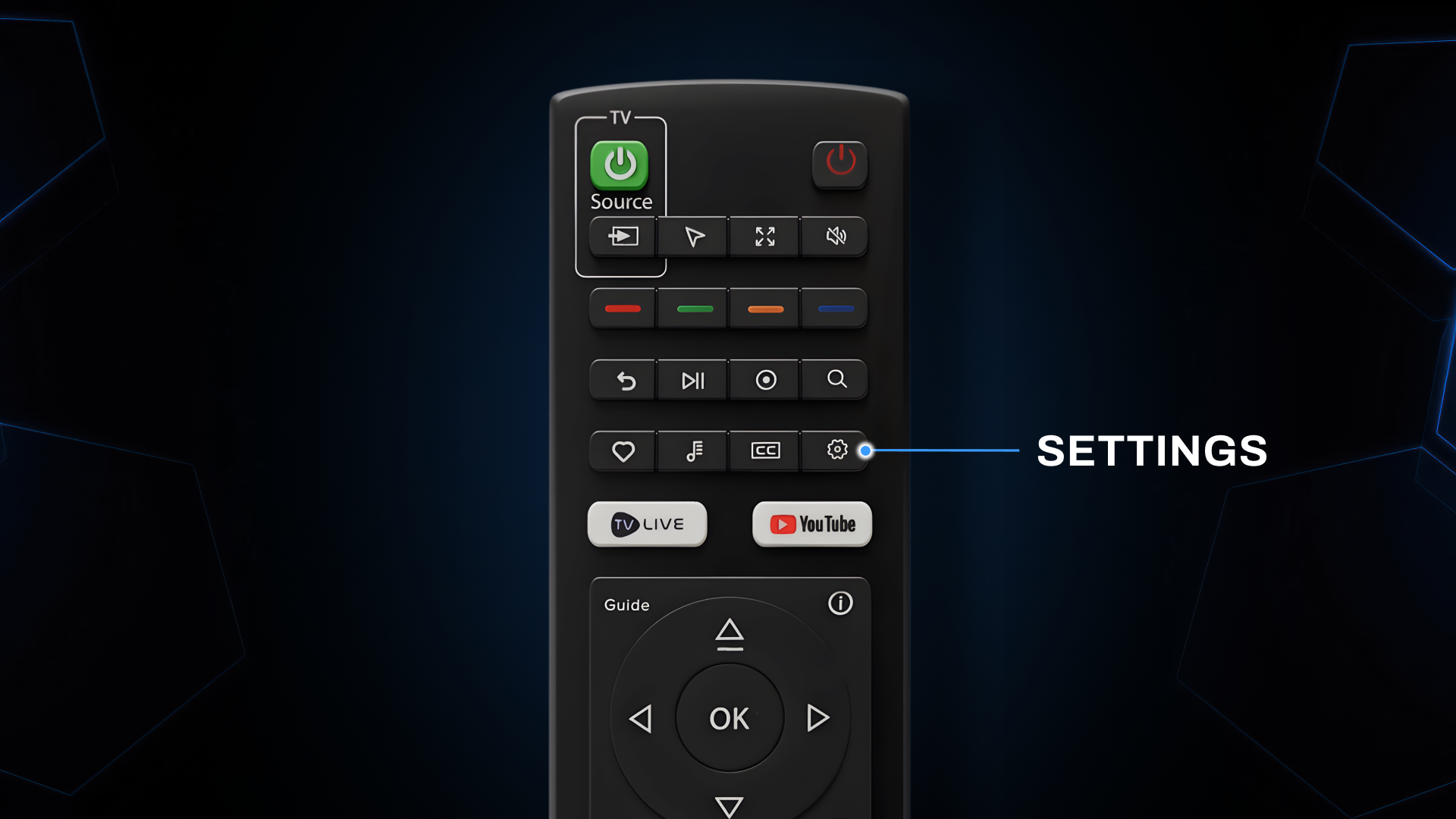
Step 1: Settings
Click on the 'Settings' button on the Remote.
Step 2: User Account
Displays Of 'Account Information' In Detailed

Note: You can also change playlist from here by clicking on “Switch Playlist” button